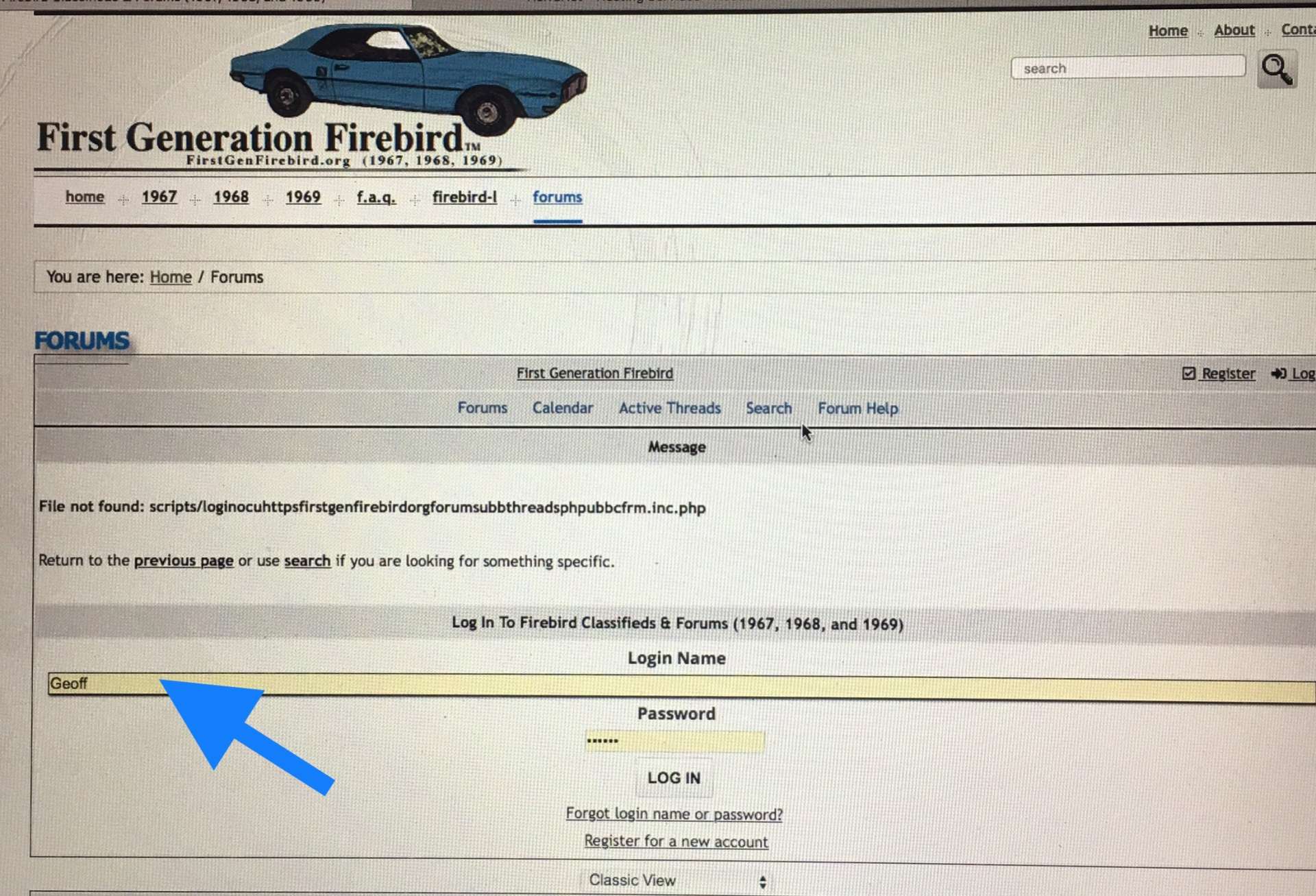
FIXED: There is an issue when you try to login. Ignore the error message about a file not found. Scroll down below this error and below “Log In To...†to find thr Login Name and Password entry fields. See attached.
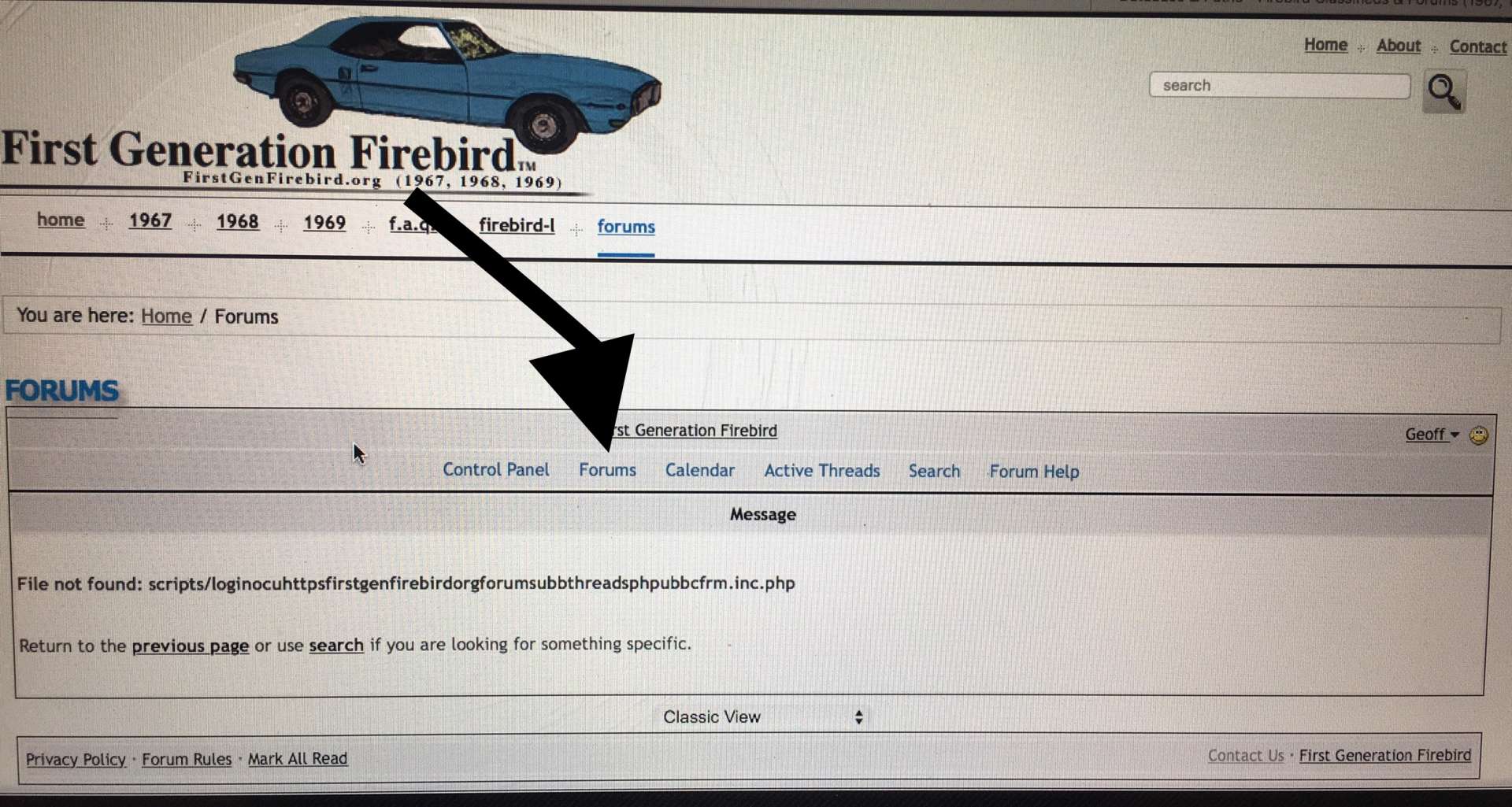
Once logged in, you will get another File Not Found error. As long as you see your name to right, you are logged in. All you do now is click on “Forums†between “Control Panel†and “Calendar†links to take you to the forum.
NOTE: Should be able to fix this as long as it does not cause an issue it has in the past. Has something to do with how the URL / Link is formatted. Just need to have time for myself if it causes a problem. Will do a DB backup before :-/
Login Form
Once Logged In Successfully
Last edited by Geoff; 01/20/1812:13 PM. Reason: FIXED